Home / Who it's for / Municipalities
One municipality. One recognisable face.
At the front desk, on a company visit or at a resident's home. With Pop It, municipal staff share their contact details, official information and the next step with an NFC card or QR code. The recipient doesn't need an app. The municipality manages the profiles centrally.
Lotte de Vries
 Book an appointment
 Business deskPermits for businesses
 Email
The right information. Handed over straight away.
A conversation can be about anything. A business owner is looking for information about a permit. A resident has questions about support. A family wants to know where to turn. With Pop It you hand over not just your contact details, but the information that helps someone take the next step.
From conversation to next step.
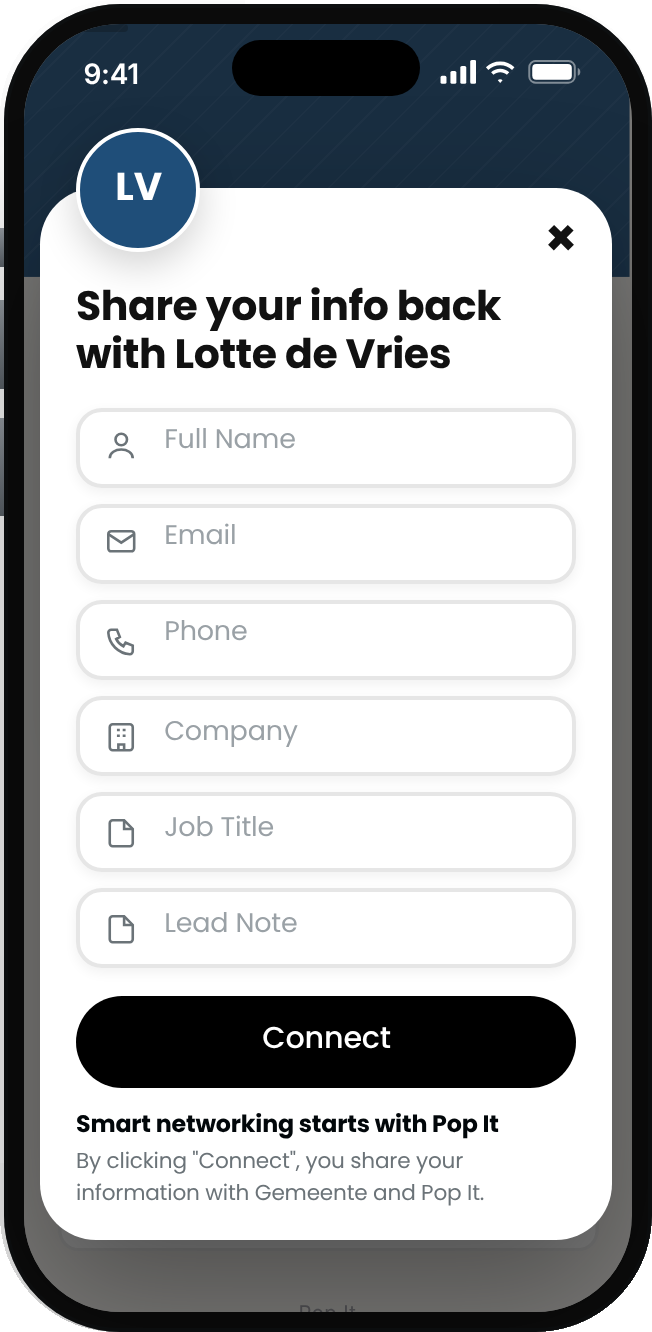
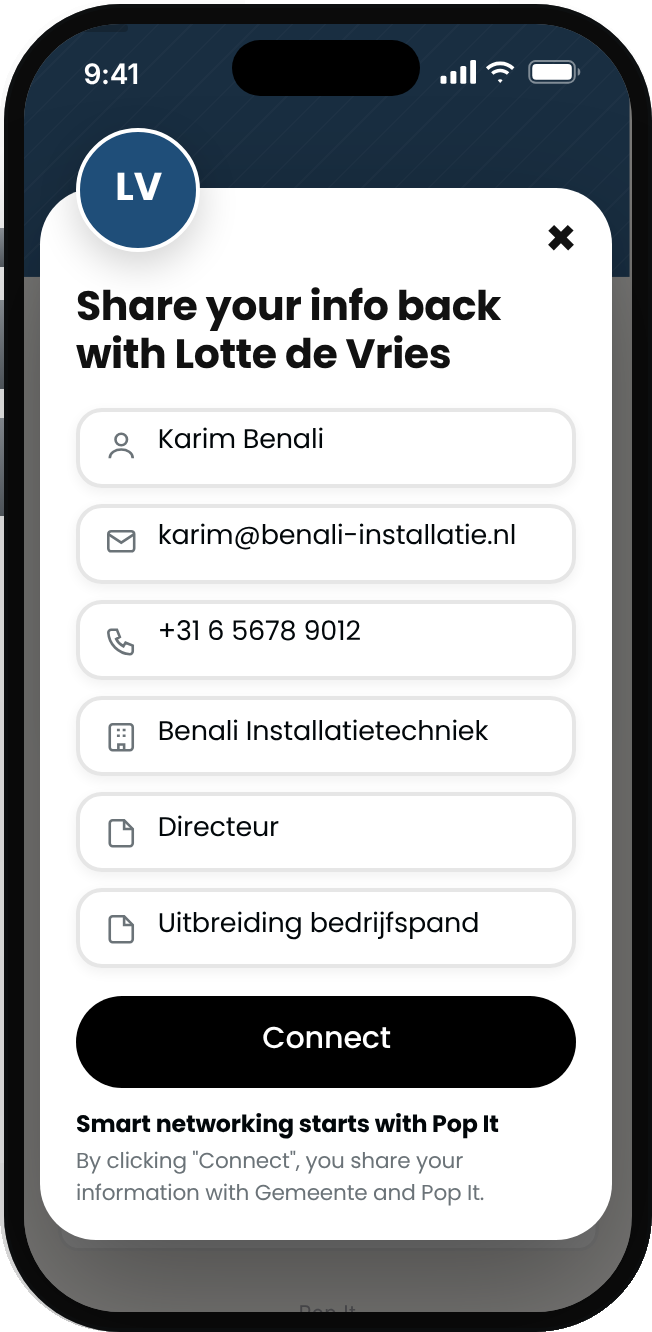
After a company visit or event, tap your card against the business owner's phone. Your profile opens, no app needed.
The business owner leaves their details in a short form, with consent recorded.
Right after, an email goes out with the right links, the business desk in cc.
The contact sits in the municipality's environment, with a tag. Export or connect as you like.

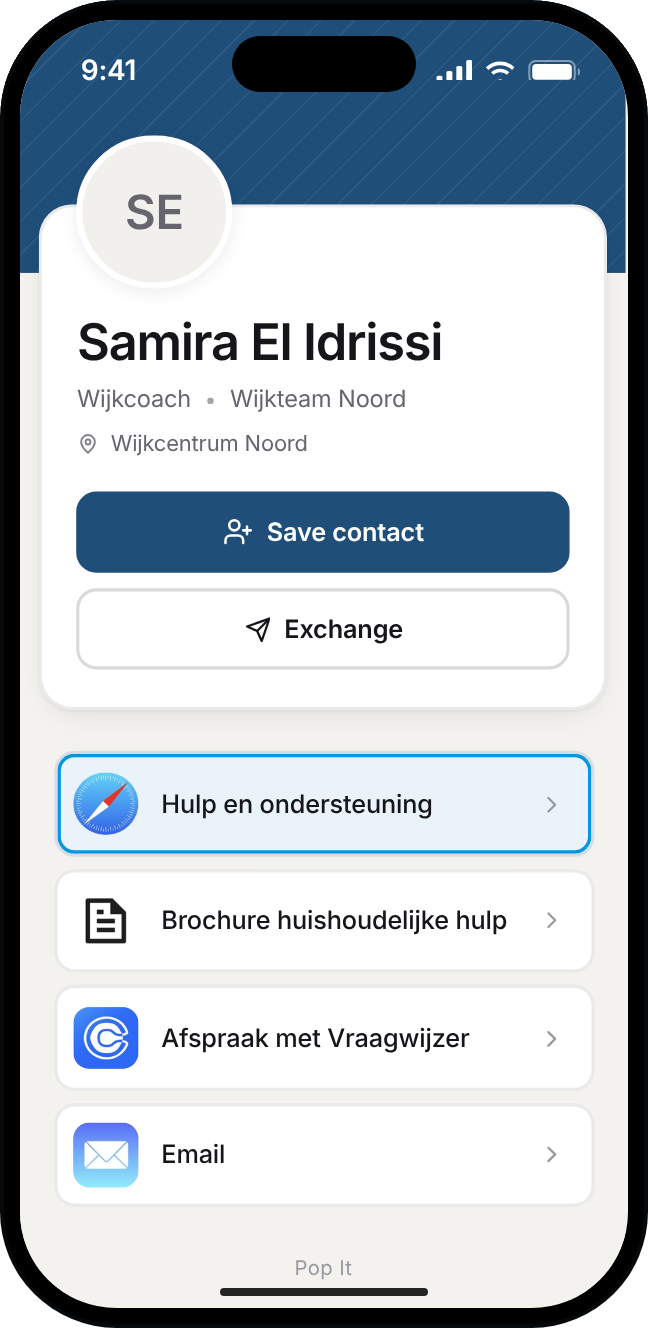
An employee talks to a business owner, resident or partner. At an event, at the desk or at home.
A tap of the NFC card or a scan of the QR code opens the official digital profile.
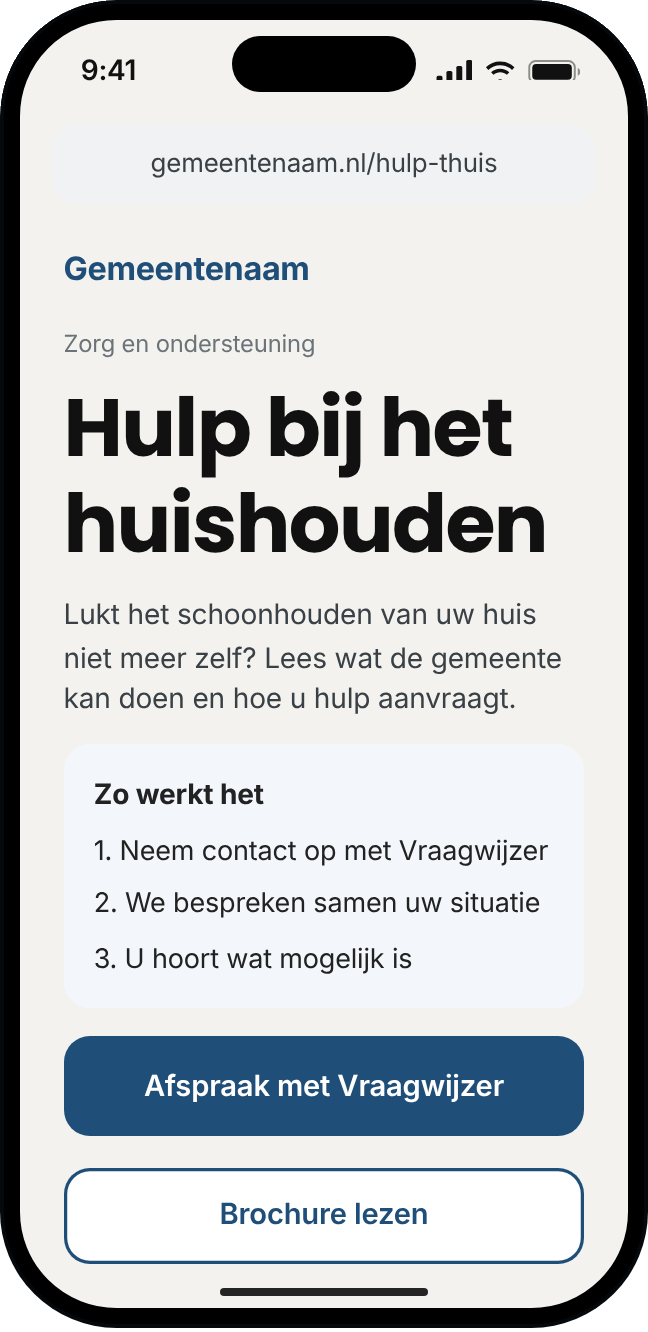
The other person saves the contact details and opens the links that matter straight away, such as support, a service desk, an appointment or a form.
The profile can be opened again. The municipality keeps the links and details up to date centrally.
For different moments within the municipality.
From business events to conversations in the neighbourhood. Every department has different contact moments. An employee always shares the information that helps at that moment.
A business introduction gets a fitting follow-up
At company visits and business events you share your contact details, the business desk and the right schemes. New business contacts can leave their details and then receive a set follow-up.
The right information after a conversation
In a conversation at home or in the neighbourhood you point to support, facilities and the next step. The resident opens the information straight away. Nothing is registered.
Straight to the right place
Appointment pages, official information and contact options, right at hand.
What's happening in the neighbourhood
Activities, resident initiatives, projects and the right point of contact.
From job fair to the right vacancy
At a job fair or first meeting, you share current vacancies, the careers page and how to apply.
Recognisable at every meeting
An official profile with the contact route via the secretariat. No private numbers.
Changed once. Up to date everywhere.
The municipality manages profiles, links and access rights from one environment. A new phone number, a different brochure or a new application page is correct on every profile in one go.
One change, every profile.
Change a privacy text, role or link once in the template. Every card in the municipality follows straight away.
Gone. Card off.
When someone leaves, SCIM switches the account off from your identity provider. The card stops working, the contacts stay with the municipality.
What does Pop It mean for your department?
One recognisable municipality to the outside world
Employees share current, official information in the municipality's look. The organisation stays in control.
The house style stays consistent
Logo, fixed information and links are managed centrally. Nobody has to update anything themselves.
Share information without searching
Share contact details and next steps during the conversation, without looking up links or documents every time.
Manageable and auditable
Sign in with the work account, automatic account management, roles and an audit log, with documentation for your assessment.
Centrally managed. Carefully set up.
Municipalities set high standards for software and data processing. This is what Pop It Teams offers today.
Work account and account management
Single sign-on via Microsoft Entra ID, Okta, Google Workspace or SAML/OIDC. With SCIM, accounts are created and switched off automatically. Two-factor authentication and an IP allowlist.
Roles and templates
Decide per department who manages profiles, templates and settings. Locked fields keep official information consistent.
Audit log
Admin actions are recorded in an exportable audit log.
Privacy and data in the EU
Data in an EU region, a data processing agreement and a list of sub-processors. When a form is filled in, consent is recorded.
Do you assess software against the BIO, the GDPR or the GIBIT? Our documentation can help with that. It is all public.
Go to Trust and securityStart with one department.
You don't need to equip the whole municipality at once. Start with Economic Affairs, or with a team that talks to many residents.
In the first weeks you see how employees share information, how the profile works and how central management fits daily practice. Then we look together at whether it suits other departments too.
Cancel monthly · No setup costs · Software ready in 1 to 2 working days
Frequently asked questions
What is a digital business card for municipalities?
A digital profile in the municipality's house style, with official contact details and links. An employee shares it with a tap of an NFC card, a scan of a QR code or a link.
Do residents or business owners need an app?
No. The profile opens in the browser. Saving the contact details to the phone takes one button.
Can Pop It be used without collecting contact details?
Yes. With the form switched off, the employee shares only information and contact routes. Nothing about the recipient is recorded. For services to residents, that is usually the intention.
Does it also work for residents and business owners we already know?
Yes. People the municipality already knows don't need to fill in anything again. They simply open the information, forms or booking links on the profile.
What information can employees share?
Contact details and links to, for example, information pages, brochures, appointment pages, forms and service desks. The application itself goes through the municipality's official channels.
Can each department use its own profile and do we manage everything centrally?
Yes. You create a template per department or role, within the house style. Logo, job titles, official links and the privacy text can be locked. A change appears on every profile straight away.
What happens when an employee leaves?
With SCIM the account is switched off automatically from your identity provider. The profile can then no longer be shared. Details that came in through a form stay with the municipality.
Does Pop It work with our work accounts?
Yes. Sign in via Microsoft Entra ID, Okta, Google Workspace or another identity provider via SAML or OIDC, with two-factor authentication.
How do contact registration and follow-up work for business contacts?
For business introductions the form can be switched on. When the other person fills it in, the contact is recorded with consent and a set follow-up with the right links goes out. Viewing a profile or saving a contact does not lead to registration or an email.
Where is the data stored and what about privacy?
In an EU region. The data processing agreement, the list of sub-processors, the security policy and the privacy statement are on the Trust page. We handle GDPR requests within 30 days.
Does Pop It replace our website or existing systems?
No. Website, case management and customer contact systems stay in use. Pop It helps at the personal contact moment and points to those channels.
What does Pop It cost for a municipality?
At most €5.99 per active user per month excluding VAT. The price is lower for more users. No setup costs and no costs per lead or scan.
How do we start?
With a demo, in which we show a profile in your house style. Then you can start with one department. The software is ready within 1 to 2 working days and can be cancelled monthly. We are happy to follow your own procurement, privacy and security procedures.
See it with your own card.
In a personal demo we show how a digital profile in your municipality's house style looks, what information employees can share with it and how central management works.
Cancel monthly · No set-up costs · Start with a pilot